What Is the Smallest Outbound Setup That Can Still Produce Meaningful Data in 2027?
TL;DR The smallest outbound setup worth running is two secondary domains with two inboxes each, plus one or two spare domains for redundancy. At 15 emails per inbox per day that is about 60 sends a day: enough for directional reads on two very different angles, not for a full race of 10 to 15.
Testing new messages on your main domain risks total deliverability failure. This article shows how to build a minimum viable outbound infrastructure that gathers proof safely. You will learn the exact domains, limits, and rules needed to scale without burning your reputation.
Key takeaways
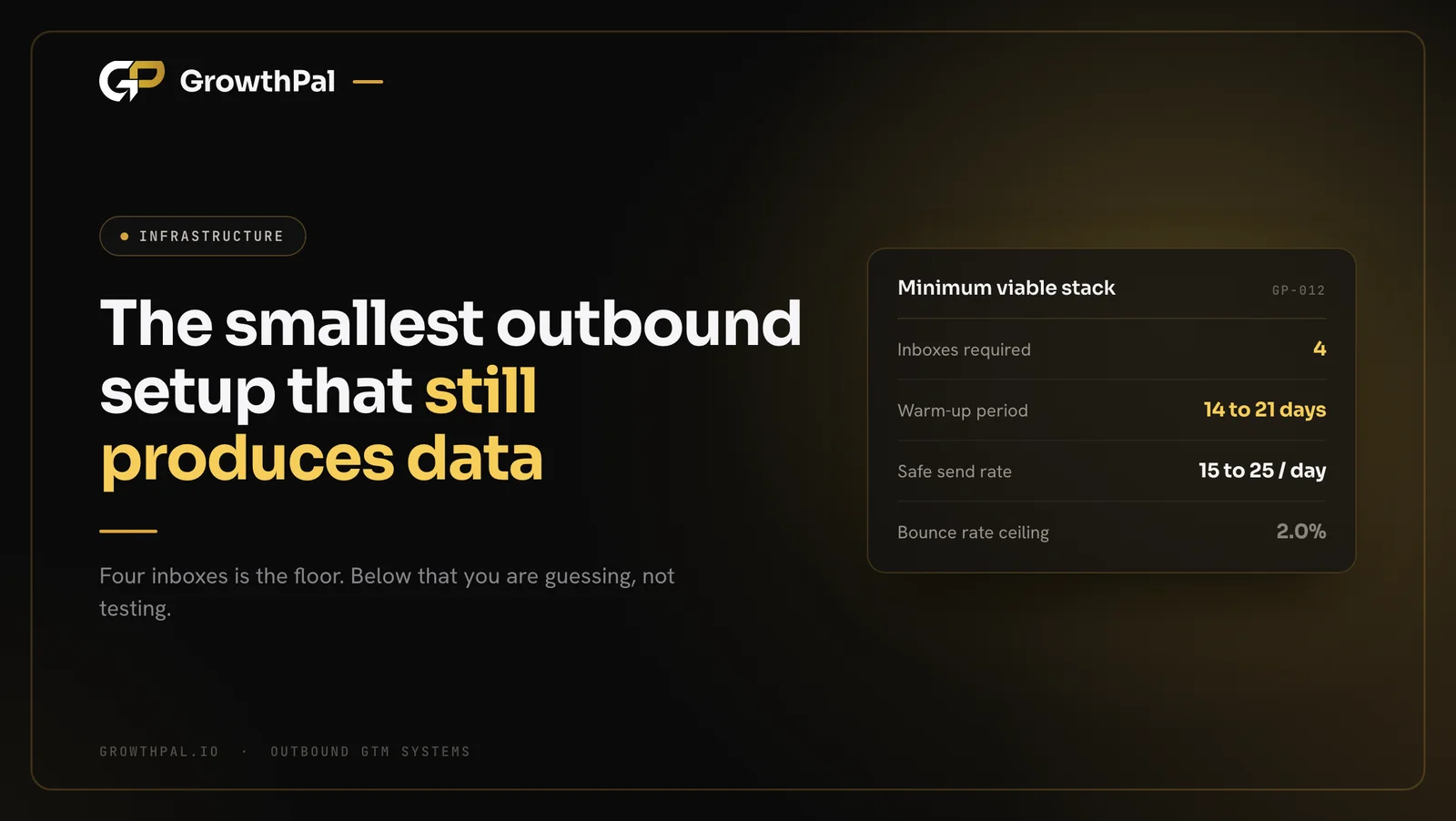
- The minimum is two secondary domains and four active inboxes, plus 50 to 100 percent spare.
- Google has a strict 0.30 percent spam limit that you must track daily.
- A 14 to 21 day slow warming phase is mandatory before sending cold emails.
- GrowthPal caps each inbox at 15 emails a day once ramped; published ceilings sit at 25 to 30.
- You must use bounce validation software to keep bounce rates under 2.0 percent.
- Always separate your total replies from unique human replies to measure real success.
Why Is a Minimum Viable Outbound Infrastructure Essential?
Building a minimum viable outbound infrastructure protects your main company domain from major damage. It creates a safe testing space to find what converts. This setup saves money while giving you highly reliable data.
What happens during primary domain sending?
Sending high volume cold emails from your main company domain is highly risky and causes permanent reputation damage. Google tells bulk senders to keep spam complaint rates strictly below 0.10 percent at all times. If your primary domain breaks this limit, your vital internal notes and client emails will quickly land in spam folders.
Why do micro setups fail?
Some founders run single inbox setups to save money, but these give you a sample size that is simply too small for testing. MarginSales data shows you need 749 contacts per variant to spot a lift from a 3.0 percent to 6.0 percent reply rate. Small setups only create random noise, not clear signals.
What is the smallest cold email infrastructure setup?
Your smallest cold email infrastructure setup is two secondary domains hosting two inboxes each, four active inboxes in total. Add one or two spare domains with two inboxes each, warmed alongside; that is the 50 to 100 percent over-provisioning GrowthPal uses as redundancy. This ensures your active campaigns do not stall if one set burns out during a live test.
How do you balance cost and speed?
Running four active inboxes keeps software costs low while allowing 60 cold sends a day at 15 per inbox. That is about 1,300 emails across 22 working days, or roughly 440 contacts a month on a three-touch sequence. It is enough to compare a pain-led angle with an outcome-led one directionally, but not for statistical certainty or a full angle race.
How Should You Provision Secondary Domains?
You must buy separate domains just for cold outreach to protect your brand permanently. This is the first step in your domain provisioning for cold email. Clean domains ensure your messages reach the inbox.
Which domain extensions work best?
Choose trusted top-level domains like dot com or dot co for your secondary domains to build instant trust. Spam filters heavily penalise cheap extensions like dot xyz during initial scoring.
A strong format adds words like get or growth to your brand name. Always explore available sending domains carefully before buying to avoid hidden blacklists.
How do you set up DNS records?
You must configure three specific DNS records perfectly before sending a single email to any prospect. Google Workspace bulk sender rules require strict SPF, DKIM, and DMARC alignment to verify your sender identity.
Set your starting DMARC policy to none while you check early reports. Use a free DKIM checker to verify your final setup.
Why is setting up forwarding necessary?
Prospects will frequently type your secondary domain into their browser to research your company before they decide to reply. You must set up a direct redirect from your secondary domain to your main company website. This smooth redirect builds immediate trust and proves your true corporate identity to any cautious buyer who looks you up.
What Are the Core Inbox Settings?
Setting proper limits per inbox stops major email providers from blocking your tenant. Follow these steps to keep your lean outbound infrastructure setup completely safe. Proper setup here stops new accounts from being suspended.
What are the cold email sending limits per inbox?
Infrastructure providers put the safe ceiling at 25 to 30 emails per inbox per day, and Clay plans for about 20. GrowthPal caps inboxes at 15 per day once fully ramped, deliberately below all of them. This strict cap ensures long-term stability and maintains pristine deliverability across all active campaigns.
Which workspace provider is better?
Google Workspace and Microsoft 365 remain the best reliable choices for B2B outreach because custom SMTP setups lack inherent provider trust. Google enforces a hard 0.30 percent spam rate ceiling. Microsoft also applies tenant-level limits on external recipients, which are tighter for trial tenants.
How do you create the right user profiles?
Each of your four inboxes should represent a real person at your company rather than a generic sales address. Founder-led sending profiles usually outperform generic SDR setups because buyers strongly prefer speaking with peers. Ensure you add a clear profile picture and a plain text signature to build instant credibility with new prospects.
How do you handle catch-all deliverability?
Manufacturing companies often use catch-all email domains that return invalid results during standard data checks. You must verify email addresses closely to keep your daily bounce rate strictly under 2.0 percent.
SalesHive data confirms that higher bounce rates rapidly damage your domain reputation. Use an email checker to clean your lists before sending.
How Do You Execute Inbox Warming Setup Rules?
A carefully managed warming schedule builds needed IP trust with major email providers over time. You must follow these inbox warming setup rules precisely before launching campaigns. Extreme patience here protects your infrastructure investment entirely.
What is the 14 to 21 day rule?
Never send cold emails from a brand new domain on day one, as this instantly flags your fresh account as highly suspicious. You must complete a 14 to 21 day slow ramp using an automated warming schedule. Set your sending software to reach a steady load of 15 warmup emails per day safely and consistently.
How do you balance warm and cold volume?
You must keep your automated warm-up volume running even after your live campaigns begin to send. Keep warm-up running alongside the 15 cold emails each inbox sends, so the inbox keeps a history of normal conversation.
Providers look for real conversational replies to measure account health. Our cold email deliverability checklist covers the full sequence of checks.
How do you avoid fast ramping mistakes?
Jumping from zero to 30 emails in three days will flag your account and trigger immediate manual reviews from providers. Start by ramping at 5, then 8, then 11, and finally 15 emails per inbox per day. This slow, steady step-up proves you are a real sender rather than a reckless volume spammer.
How Do You Monitor Your Minimum Viable Outbound Infrastructure?
Tracking the health of your setup ensures you catch drops before they burn your domains. A minimum viable outbound infrastructure makes this daily monitoring easy. Regular checks stop small issues from becoming complete technical failures.
Which metrics define deliverability health?
| Metric | Safe Limit | Danger Zone | Required Action |
|---|---|---|---|
| Bounce Rate | Under 2.0% | Above 5.0% | Pause sending and verify list |
| Spam Rate | Under 0.10% | Above 0.30% | Change copy and rest domain |
| Interested replies | 1 per 350 contacts or better | Worse than 1 per 800 | Test new message angle |
| Volume per Inbox | 15 per day | Above 25 to 30 | Reduce daily sending limits |
These thresholds dictate your daily operational choices. Pause and verify your lists if bounces spike, and change your copy aggressively if spam rates climb.
Why is setting up Google Postmaster essential?
Google Postmaster Tools is completely essential for monitoring your ongoing domain reputation with Gmail users. You must verify your domain via DNS records to access these detailed deliverability dashboards. Checking your Google Postmaster Tools spam rate daily is vital, though it might not show clear data if you send fewer than 100 emails.
How often should you check blacklists?
You should check your secondary domains against major industry blacklists every Friday without fail. Spamhaus and other DNS blocklists can flag your domains if they spot bad sending behaviour or frequent spam trap hits.
Catching a listing early lets you request a delisting quickly. Run a blacklist checker routinely.
How do you audit reply rates properly?
You must calculate your median unique reply rate per contacted prospect rather than just counting total replies. ReplyLead benchmark data shows a 2.12 percent median unique reply rate across 81 client campaigns. Always measure unique human responses rather than total inbox replies to gauge your true message-market fit accurately and honestly.
Outbound Services
Want to skip the trial and error of building infrastructure? GrowthPal builds and runs full-TAM outbound systems designed to find message-market fit quickly and safely. We handle the domains, inboxes, and technical limits for you.
Message-Market Fit Testing Math
You need specific contact volumes to trust your campaign data fully before making major decisions. Your setup must support enough daily sending to validate your tests accurately. Small setups still provide enough mathematical certainty to proceed.
How do you calculate statistical significance?
Testing needs enough contact volume to separate mathematical noise from true market signals. MarginSales data shows you need 5,301 contacts per variant to detect a lift from 3.0 percent to 4.0 percent reply rate. Four inboxes reach about 440 contacts a month on a three-touch sequence, so treat early results as directional and scale before you call a winner.
Why should you test radically different angles?
Do not waste precious daily sending volume testing a minor subject line change when searching for initial traction. You must race 10 to 15 genuinely different message angles across your entire addressable market to find what truly works.
Learn exactly how we write a cold email angle.
How do you define a winning benchmark?
A generic total reply rate tells you very little because it includes out-of-office autoreplies and angry rejections. Your benchmark aim should be 1 qualified lead per 350 contacts reached to show a highly scalable campaign.
For context, the industry baseline for an untested message is 1 interested reply per 800 to 1,000 contacts. See our cold email benchmarks.
Common Infrastructure Mistakes to Avoid
Small technical mistakes in your outbound setup will severely limit your reach and damage your score. Avoid these common errors to protect the minimum domains needed for outbound testing. Technical perfection keeps your campaigns running smoothly.
Why avoid adding links to step one?
Spam filters heavily penalise links to Calendly or Loom in your initial email because lazy bulk senders abuse them. The Instantly Benchmark Report finds that 58 percent of replies come from the first email. Keep your first step entirely plain text to ensure maximum inbox placement and protect your domains.
What happens if you ignore UK and EU compliance?
UK PECR permits corporate B2B cold email under legitimate interests if an easy opt-out is clearly present. RFC 8058 rules make one-click unsubscribe headers completely mandatory for commercial bulk senders, so always provide a clear way for prospects to leave your list safely. Note that this remains general guidance rather than formal legal advice.
Why is overloading follow-up sequences dangerous?
Sending seven follow-ups over two weeks will highly irritate prospects and generate severe spam complaints that ruin your infrastructure. Diminishing returns destroy your domain reputation very quickly when prospects feel harassed by automated emails. Limit your sequences to three or four highly relevant steps to maintain goodwill and keep your sender score perfectly clean.
Why should you stop confusing opens with intent?
Apple Mail and enterprise security firewalls routinely open emails automatically to scan for malware and dangerous links. This automated behaviour makes open rates a completely useless tracking metric for modern outbound campaigns.
Turn open and click tracking off entirely. If you are deciding who should run this setup, our cold email agency vs in-house SDR comparison sets out the trade-offs.
Maintenance and Transition to Production
Your lean outbound infrastructure needs daily care to stay healthy and avoid sudden spam filtering. Follow these final checks to keep your automated systems running perfectly. Careful daily management ensures you can scale safely later.
How do you handle rotating burned inboxes?
Even with perfect sending practices, an inbox might eventually suffer a deliverability drop due to strict provider rules. This is what the spare domain is for. If one inbox burns out, pause it, move its volume to the warmed spares, and start warming a replacement.
When should you start scaling beyond the minimum?
Once you find a winning message that reliably generates 1 interested reply per 350 contacts, you can confidently scale operations by adding more domains. You will follow the exact same sending limits and warming rules as you grow. Month one tests while ramping, month two tests aggressively, and month three scales the winner. If you want a second pair of eyes on your setup, book a call.
Why is auditing your data pipeline necessary?
Good infrastructure is completely useless without highly accurate prospect data feeding your daily campaigns. GrowthPal starts every operations engagement by auditing where data comes from, where it goes, who owns it, and whether it is right before building anything.
What is the daily outbound checklist?
- Verify all new contact lists using bounce validation software.
- Check your daily sending volume stays at or under 15 per inbox.
- Review spam complaint rates in Google Postmaster Tools.
- Reply to all positive responses within two hours.
- Unsubscribe negative replies immediately to prevent spam reports.
- Check your secondary domain redirects are working correctly.
- Monitor your automated warm-up volume for consistency.
- Ensure all step-one emails contain no links or attachments.
- Audit your DNS records for SPF and DKIM stability.
- Review your weekly angle-test report to identify winning messages.
Free GTM Plan
Ready to map your market and write messages that convert? GrowthPal delivers a mapped market, buyer breakdown, 5 message angles, and 5 signal plays delivered within an hour. Claim your free plan to start testing.