How Do You Segment an Old CRM Database Before Emailing It Again in 2027?
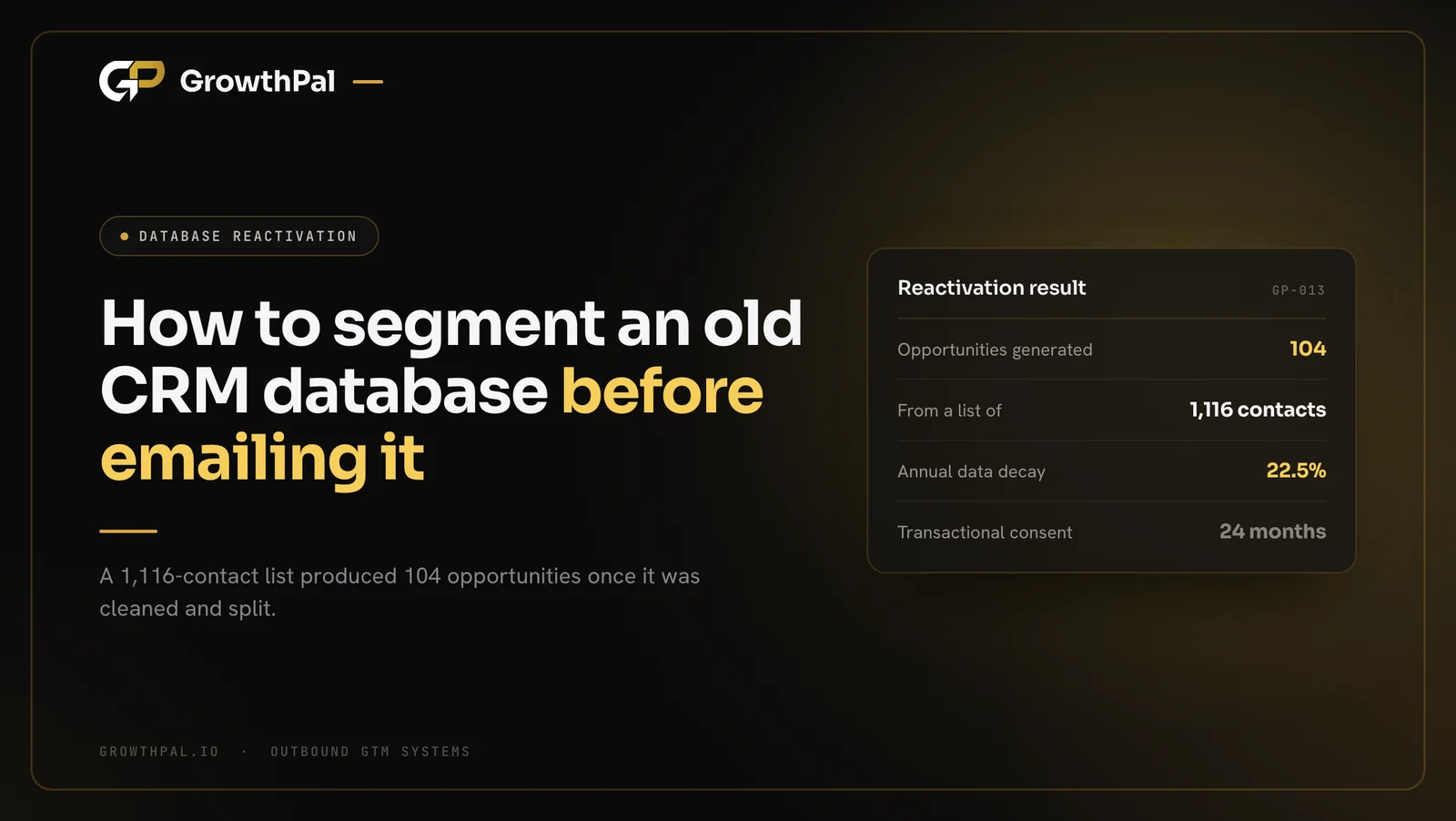
TL;DR A GrowthPal reactivation campaign for a real estate client contacted 1,116 ad leads and past contacts and produced 137 replies and 104 opportunities in 27 days. Before you email an old CRM, verify it, send from secondary domains, and segment by why each contact went quiet.
Your sales team spent years building a database of prospects who simply stopped replying. Left alone, this old pipeline decays fast and puts your main domain at risk if you email it blindly. This guide shows how strict crm database reactivation segmentation generates qualified meetings safely.
Key takeaways
- B2B contact data decays by roughly 22.5 percent each year.
- Never send mass reactivation emails from your primary corporate domain.
- Filter your old list through multiple tools to remove bad emails.
- Segment your dormant audience by their exact closed-lost exit reason.
- Write plain-text messages offering new value that solves their old problem.
- Ramp your daily sending volume slowly to avoid major spam filters.
Why Does Stale CRM Data Harm Domain Reputation?
Leaving old pipeline in your main system creates silent but severe sending risks. Outdated B2B contact data triggers spam filters and spikes hard bounce rates fast. This ruins your primary sender reputation rapidly if left unmanaged. You must separate this traffic completely.
What is the true cost of data decay?
Your sales team works hard to capture leads, but contact details degrade fast. HubSpot noted a 22.5 percent annual B2B data decay rate in 2023. People change jobs and companies rebrand often.
This natural turnover turns your old pipeline into a trap for hard bounces. You must clear this drop before emailing anyone again.
What are the Google spam thresholds?
Sending messages to unverified lists generates high spam complaints quickly. Google enforced strict email sender guidelines in 2024 to protect users. They recommend keeping complaint rates below 0.10 percent.
Crossing the 0.30 percent ceiling costs you Gmail's mitigation support and pushes mail towards spam. You must isolate your core systems to stay safe.
Why do mass mailings fail today?
Marketers often blast their old database from standard automation platforms blindly. Major inbox providers use engagement signals to spot this and filter unengaged mass mail into secondary folders.
If your list is cold and unverified, expect to land in the spam folder.
How does a RevOps audit help?
We begin every operations task by auditing where data comes from and where it goes. We check who owns it and whether it is right before building anything. This step ensures historical records are correct.
A clean data foundation stops your sales team from sending bad messages to the wrong buyers entirely.
What Was in the Real Estate Database?
The client, a real estate business we keep anonymous, had a database of ad leads and past contacts that had gone cold. GrowthPal ran a follow-up and reactivation campaign across those existing contacts instead of buying new data. 1,116 people were contacted.
Start with the audit
Every GrowthPal operations engagement starts with four questions about the data: where it came from, where it goes, who owns it, and whether it is right. For an old database that means checking each record's source (an ad form, a past enquiry, an old deal), how long it has been dormant, and which fields can still be trusted.
You can audit your old CRM against those questions before you build any segment.
Read the fields you already have
Old records often lack the reason a conversation stopped. Fields like source, last activity date, last stage reached and original owner are usually enough to sort contacts into meaningful groups, and those groups become your messaging angles.
When does implied consent expire?
Consent rules apply to old contacts too. In Canada, implied consent under CASL lasts six months after an inquiry and 24 months after a purchase or contract. In the UK, PECR treats corporate subscribers and individuals differently. This is general guidance, not legal advice.
How Do You Isolate Sending Risk for Aged Lists?
The first technical step is to isolate the sending risk on fresh secondary domains. This protects the primary corporate brand from sudden spam penalties. It ensures your main operations continue without interruption during heavy pushes. You never want your primary email disabled.
How to reactivate dead crm leads safely?
To reactivate dead crm leads safely, you must purchase secondary domains and configure SPF, DKIM, and DMARC records correctly. You then use an isolated sending tool rather than your main platform. This setup protects your core brand domain if your aged contacts trigger high bounce rates.
How do you set up DMARC properly?
Proper domain records are a requirement for reaching any professional inbox today. Publish a DMARC policy on every secondary domain, starting at p=none, and read the reports before tightening it.
Then verify alignment with a DMARC checker before you move forward.
Why over-provision the inbox infrastructure?
We protect clients by over-provisioning inboxes by 50 to 100 percent to act as N+1 redundancy. This ensures campaigns do not stall if one set of inboxes burns out. Distributing the volume across extra mailboxes keeps the daily sending load exceptionally light.
If one mailbox gets flagged, the others keep running smoothly.
How long should you warm up new workspaces?
New secondary domains carry no reputation and look suspicious to major receiving servers. Warm new inboxes gradually for 14 to 21 days to build a positive sending history, and keep warm-up running afterwards.
This slow process builds trust before you contact prospects directly.
What Does CRM Database Reactivation Segmentation Require Before Sending?
Old databases always carry invalid addresses, so verification comes before segmentation. Proper crm database reactivation segmentation requires perfectly clean data before you send a single message. This shields your new sender reputation from immediate harm. Clean lists ensure your emails reach active inboxes.
How do you clean syntax and formatting?
The first step of data hygiene strips out bad addresses and obvious typing errors. Automated checks find missing characters, incorrect domain extensions, and simple spacing mistakes. Fixing these basic syntax errors saves your sender score from taking an early hit.
It prevents immediate hard bounces that damage domains.
How does multi-pass verification work?
A single verification tool rarely catches every defunct corporate email address. We employ a waterfall approach, passing the data through Reoon and BounceBan to cross-reference validity signals. This database scrubbing bounceban reoon method catches bad emails that single tools miss.
Our free email checker runs the syntax and mail-server part of this check.
How do you resolve catch-all addresses?
Many domains accept mail to any address, so verifiers cannot confirm whether a mailbox on them exists. Treat catch-all results as unconfirmed, segment them separately, and decide deliberately whether the bounce risk is worth it.
Track the outcome with a bounce rate calculator; the line is 2 percent.
How Does CRM Database Reactivation Segmentation Work by Exit Trigger?
Effective crm database reactivation segmentation relies on grouping old contacts based on why they left originally. Group the verified contacts into cohorts by the reason they went quiet. This approach creates much warmer conversations. Buyers appreciate messages that reference their specific history.
Stale Data Segmentation Models
| Segmentation Model | Primary Trigger Focus | Best Used For |
|---|---|---|
| Time-Based Only | Days since last interaction | Generic newsletter blasts |
| Feature Gap Exit | Missing product capabilities | Announcing major product updates |
| Budget Constraint | Lack of available funds | End-of-year fiscal planning |
| Personnel Change | Champion left the company | Prospecting into new accounts |
Choose the time-based model if you just want to run simple branding exercises. Choose the exit trigger models if you want to generate targeted sales opportunities. Grouping contacts by behaviour yields higher replies.
Closed-lost because something was missing
Prospects often say no because something was missing at the time: a feature, a location, a price point. When segmenting old crm contacts, isolate everyone who left for a reason that has since changed and put them on one tight list.
Reaching out with the thing they were missing creates an incredibly compelling reason to reply.
Closed-lost due to timing or budget
Many deals stall simply because the buyer lacked the immediate budget to proceed. Group contacts whose conversations paused over 12 months ago to align with new annual budget cycles. Timing these messages to coincide with fresh fiscal quarters revives previously dead pipeline math immediately.
It turns past rejections into priorities.
Lapsed inbound marketing qualified leads
Some prospects request a demonstration but never actually attend the scheduled meeting. Separate these lapsed inbound leads from the sales-qualified opportunities so your messaging matches their lower intent.
Offering them a simple asset like an updated industry report often restores their interest quickly without forcing a hard pitch.
Outbound Services
Stop guessing how to reactivate your old pipeline blindly. GrowthPal builds and runs full-TAM outbound systems to find true message-market fit. We protect your domains while turning your silent, aged contacts into qualified sales meetings safely and predictably.
Learn How We Engineer Revenue. →
Drafting the Cold Email Database Reactivation Sequence
Write low-friction, plain-text messages that acknowledge the past conversation openly, and offer a relevant update instead of pushing for an immediate hard sale. Soft approaches generate more meetings than aggressive pitches.
How do you craft a hook for a "what changed" segment?
Show you remember the exact reason they paused. For example, ask whether they still handle the decision, then name the one thing that has changed since you last spoke. We use the same discipline when writing a cold email angle: one pain, one proof, one small ask.
A simple update feels natural.
Offering an easy consent reset
Tell people plainly why they are hearing from you, such as an enquiry they made or a past conversation, and give them a one-click way out with a promise to remove their details. In the UK, the soft opt-in covers existing customers of similar products, not everyone in a CRM, so check which rule covers each segment.
Giving them a clear exit builds trust.
Racing message angles across the market
We test extensively to find the exact message that resonates with a dormant audience. We race 10 to 15 genuinely different message angles across the market to find a winner. This aggressive testing phase detailed in our cold email message market fit guide uncovers a winning combination fast.
Data always beats intuition.
Launching and Ramping the Re-Engaging Cold Sales Pipeline Campaign
A re-engaging cold sales pipeline campaign needs strict daily volume control from the start. This slow, methodical ramp keeps your newly warmed domains safe and active in the primary inbox. Rushing this stage triggers automated spam filters instantly. Patience protects your entire technical setup.
Graduated ramp schedules
You cannot send thousands of emails on the first day without destroying your new domain reputation. Ramp carefully: 5, 8, 11 and then 15 emails per inbox per day. This slow process mimics natural human behaviour and avoids major spam filters.
It proves you are a real person.
Monitoring Microsoft and Google limits
Both major providers impose strict thresholds on mass mailings to protect their users. The Google FAQ verified in 2024 that sending 5,000 daily messages assigns a permanent bulk sender status. Microsoft has announced a limit of 2,000 external recipients per mailbox per day for Exchange Online.
Our cold email deliverability checklist covers how to stay inside both.
Routing the interested replies
An effective reactivation campaign generates replies that require immediate human attention. Set routing rules so positive responses reach the right salesperson immediately and are logged in the CRM. Turning interested replies into meetings depends on rapid response: with fast follow-up, 25 to 40 percent become meetings.
Speed wins deals.
Adapting to job changes
Stale databases inevitably contain contacts who have moved on to new roles. Track hard bounces to update records, and look up departed contacts at their new companies; a champion who moved is often a warm lead in a new account.
Catching bounces early stops repeated messaging mistakes.
The Result: 104 Opportunities in 27 Days
The real estate campaign combined follow-up on recent ad leads with reactivation of older contacts, sent from separate infrastructure, with replies routed straight to the client's team. People who already knew the business answered at a far higher rate than a cold list would.
Results from the 27-day window
GrowthPal contacted 1,116 people. 137 replied, and 104 became opportunities within 27 days, about 9.3 percent of everyone contacted. That is far above any cold benchmark, which is the point: the people in your own CRM already know you. More detail is on our case studies page.
Our real estate database reactivation case study learnings
Our real estate database reactivation case study shows you do not always need to buy fresh data. Your existing systems often produce warmer conversations, and GrowthPal's cold email agency work includes this kind of reactivation. You need proper technical insulation and contextual crm database reactivation segmentation to extract that value safely.
Every reply feeds a street dog
For every human reply a GrowthPal campaign earns, including a polite no, GrowthPal pays for food and health support for a street dog at Shree's Animal Rescue Nepal. Auto-replies and bounces do not count, and clients pay nothing extra.
10 Steps to Reactivate Your Dead CRM Leads
- Audit your existing CRM data for missing fields.
- Remove contacts older than legal consent limits allow.
- Purchase secondary domains to protect your brand.
- Configure SPF, DKIM, and DMARC alignment properly.
- Clean formatting errors from your data export.
- Verify emails through both Reoon and BounceBan tools.
- Segment the remaining list by specific exit triggers.
- Write contextual message angles addressing old pain points.
- Warm up the secondary inboxes for 14 to 21 days.
- Ramp daily sending volume slowly to avoid filters.
Free GTM Plan
Want a tailored strategy for your old, unengaged list? Claim your comprehensive free plan today. We provide a mapped market, precise buyer breakdown, 5 custom message angles, and 5 signal plays delivered straight to you within an hour.